
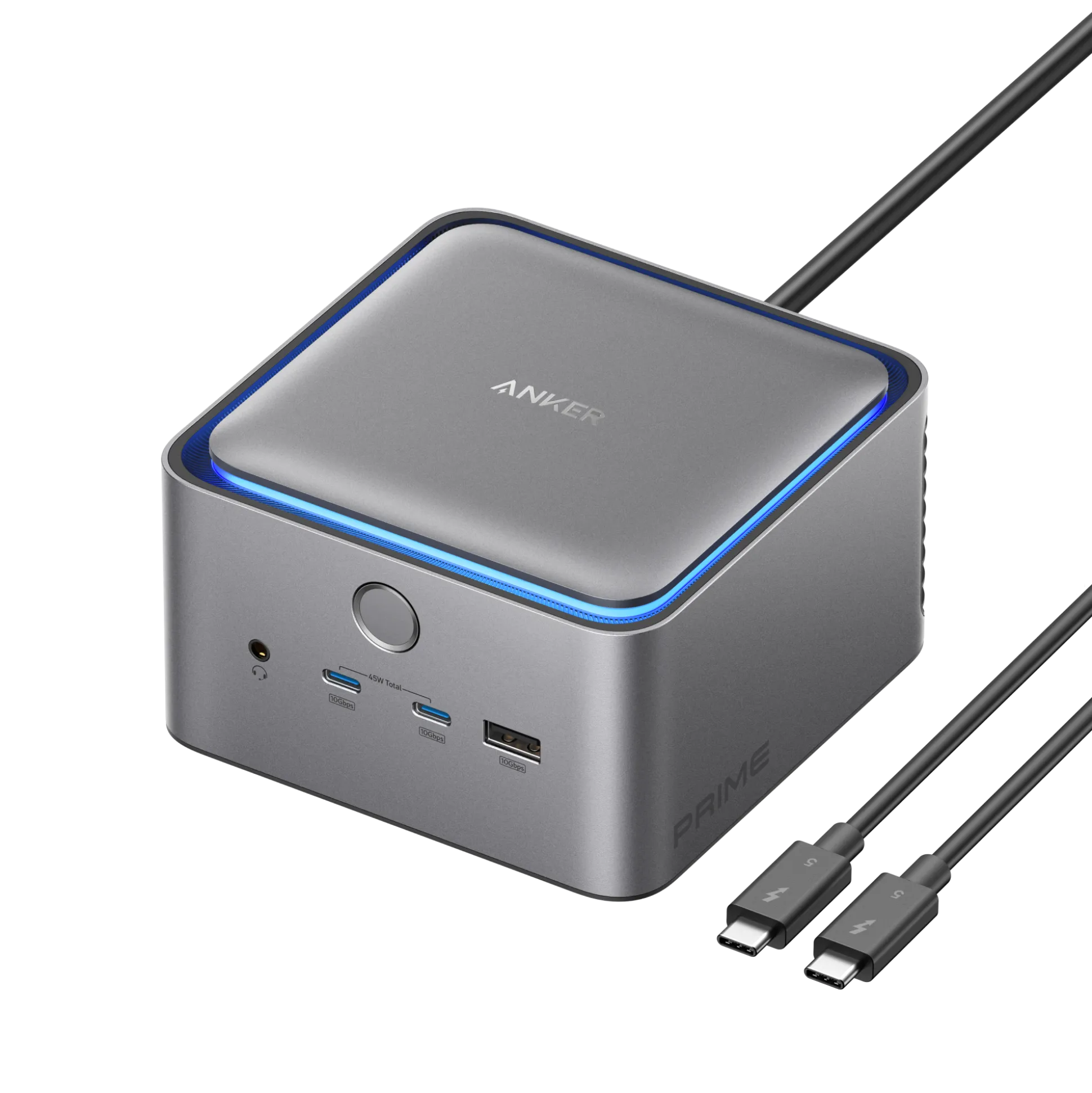

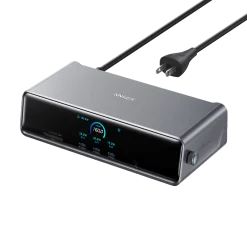
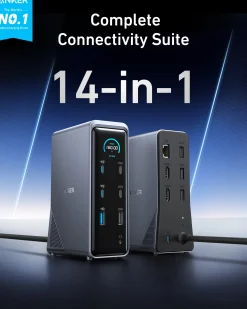
Prime TB5 Docking Station (14-in-1, 8K, Thunderbolt 5 )
Original price was: 399,99 $.140,99 $Current price is: 140,99 $.
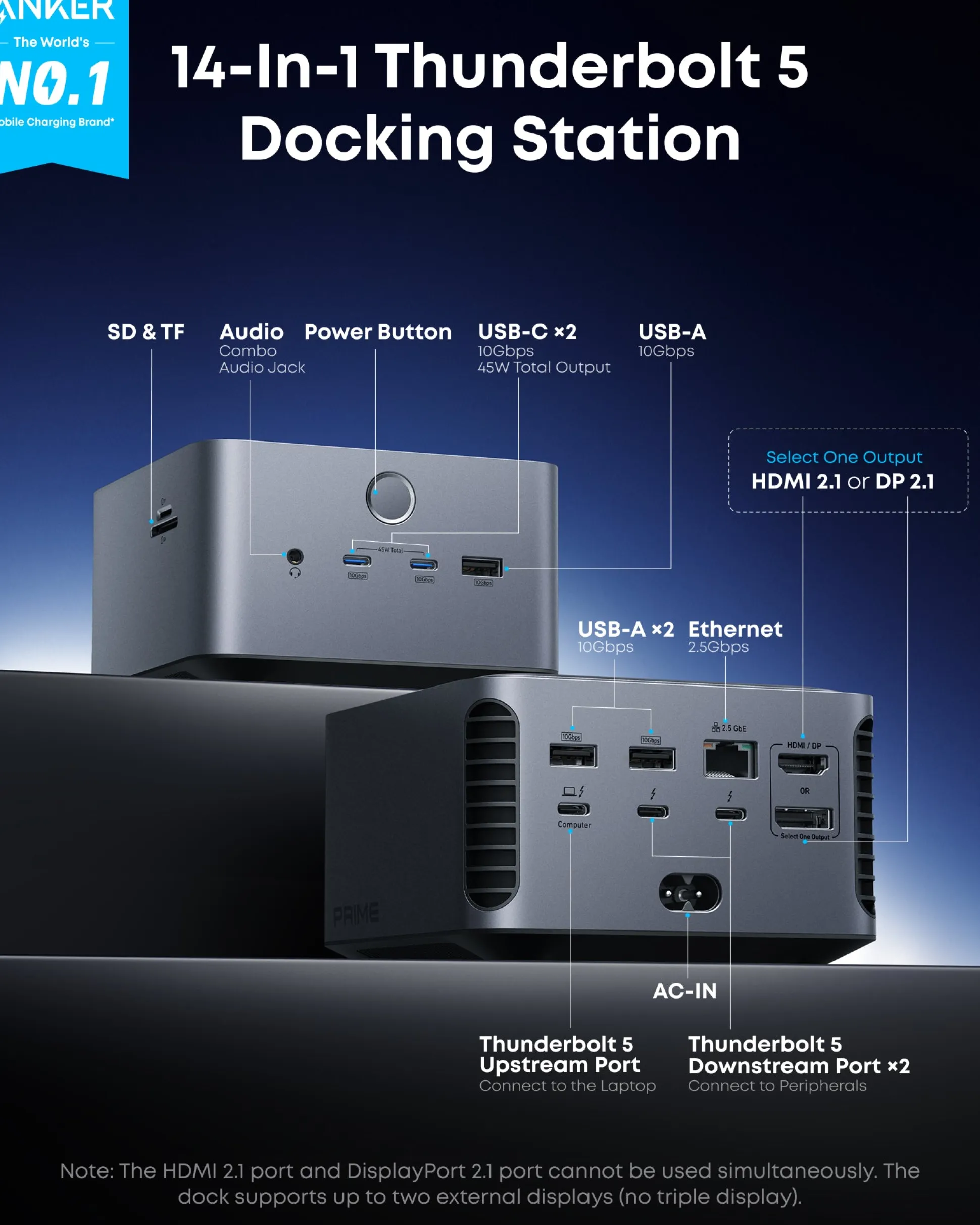
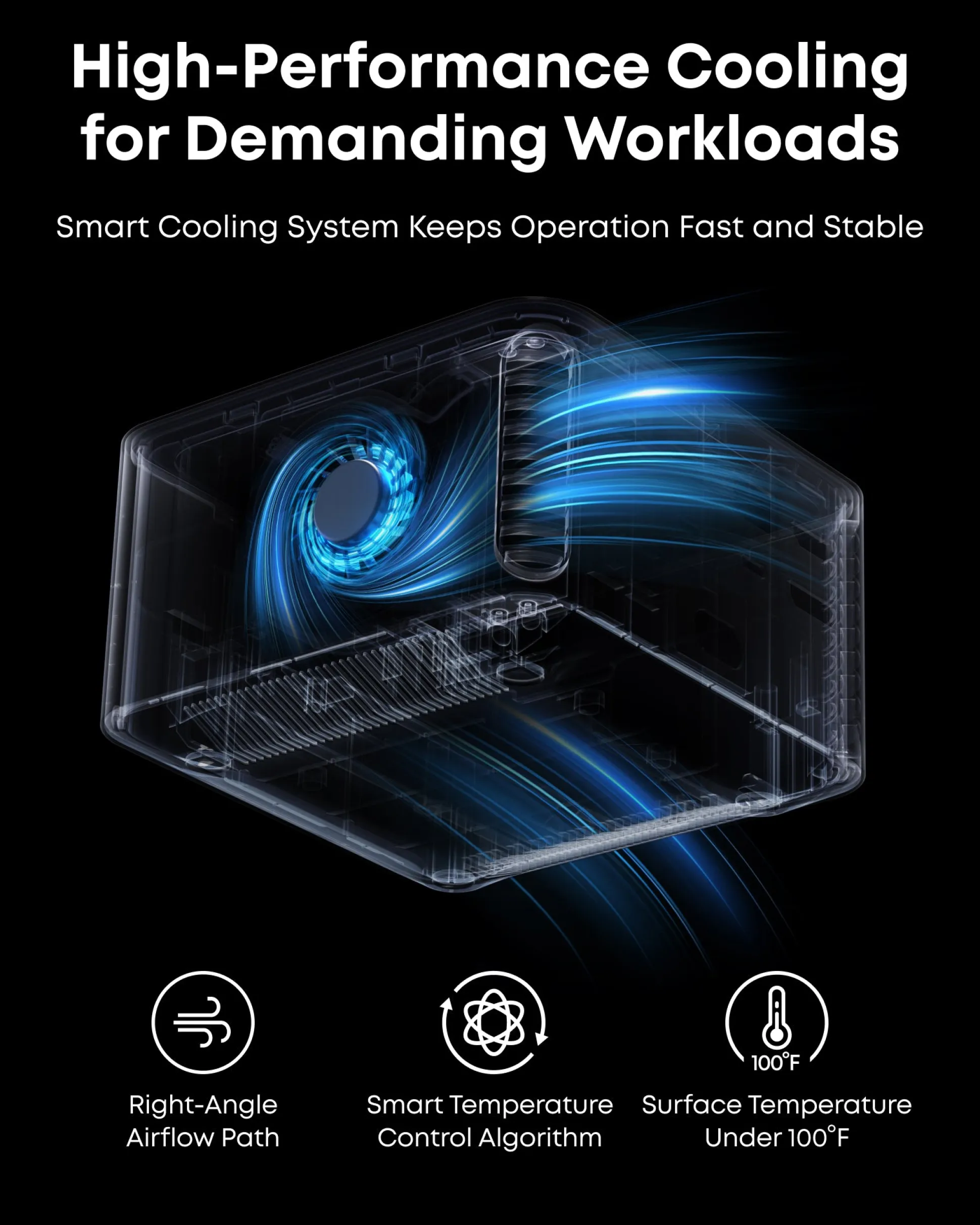
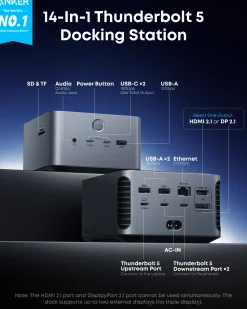
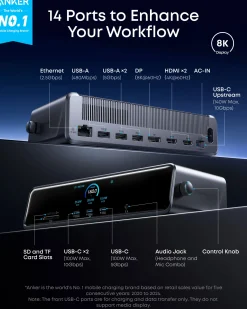
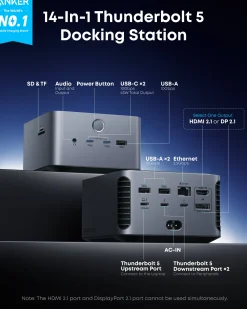
- 14-in-1 Thunderbolt 5 Dock: Equipped with a Thunderbolt 5 upstream port, two Thunderbolt 5 downstream ports, two USB-C ports, three USB-A ports, SD and TF card readers, an AC input, a 2.5Gbps Ethernet port, an audio jack, and an HDMI 2.1 or DisplayPort 2.1 port. It also includes an advanced active cooling system for optimal performance even under full load, preventing overheating.
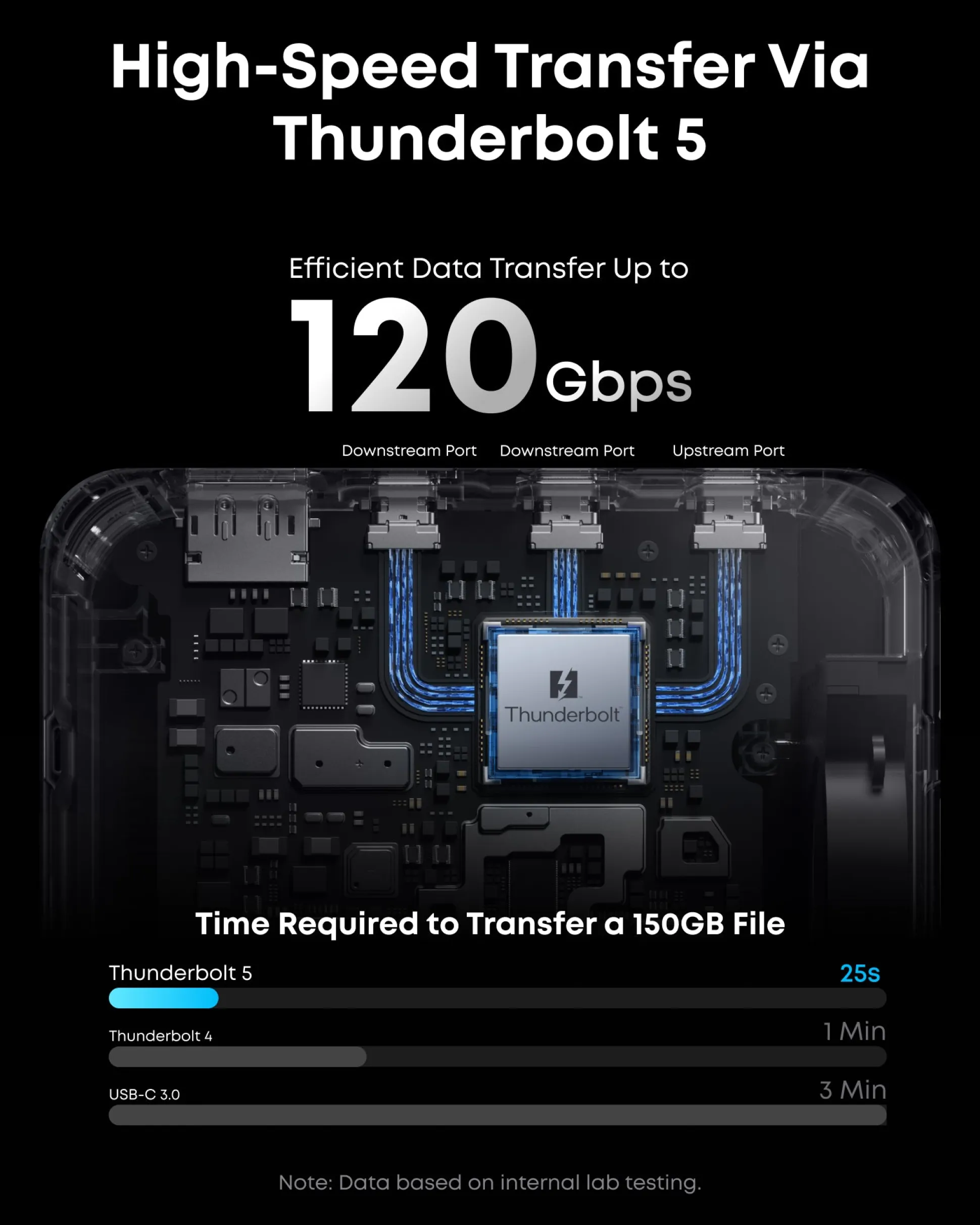
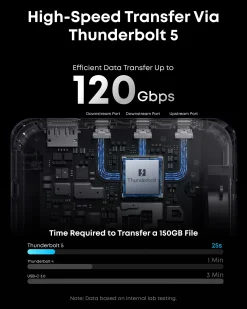
- The Speed You Need for Large Files: Transfer massive files quickly—move a 150GB file in just 25 seconds with the Thunderbolt 5 port.
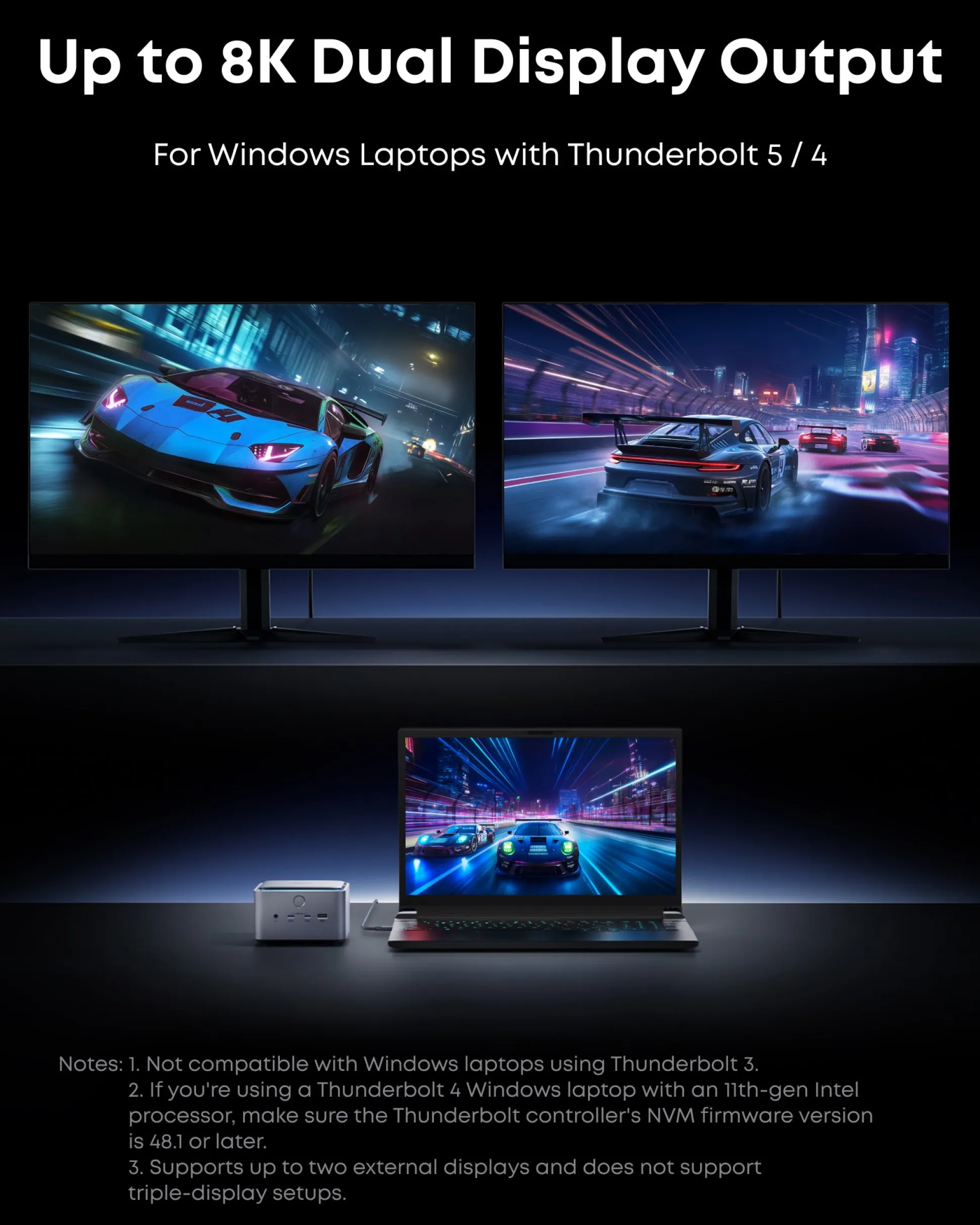
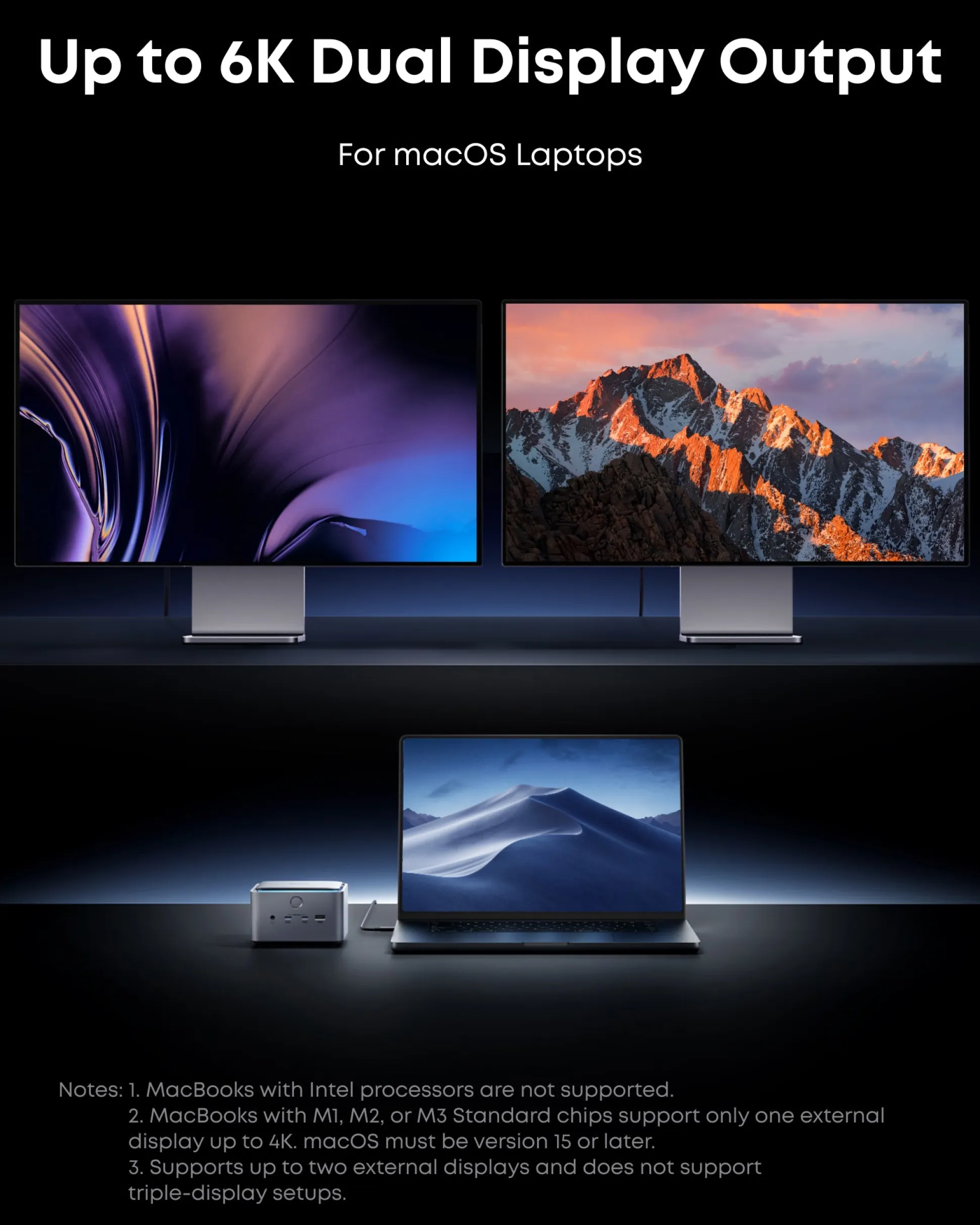
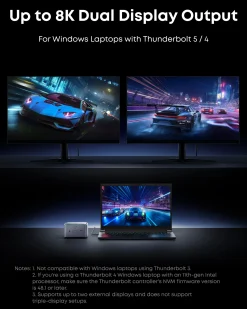
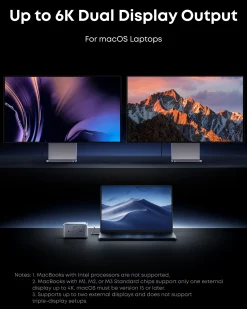
- Dual Display Docking Station: Supports one HDMI or DisplayPort and two Thunderbolt 5 downstream video outputs. Delivers up to 8K@60Hz for a single display, or dual 8K@60Hz for Thunderbolt 5 Windows laptops.
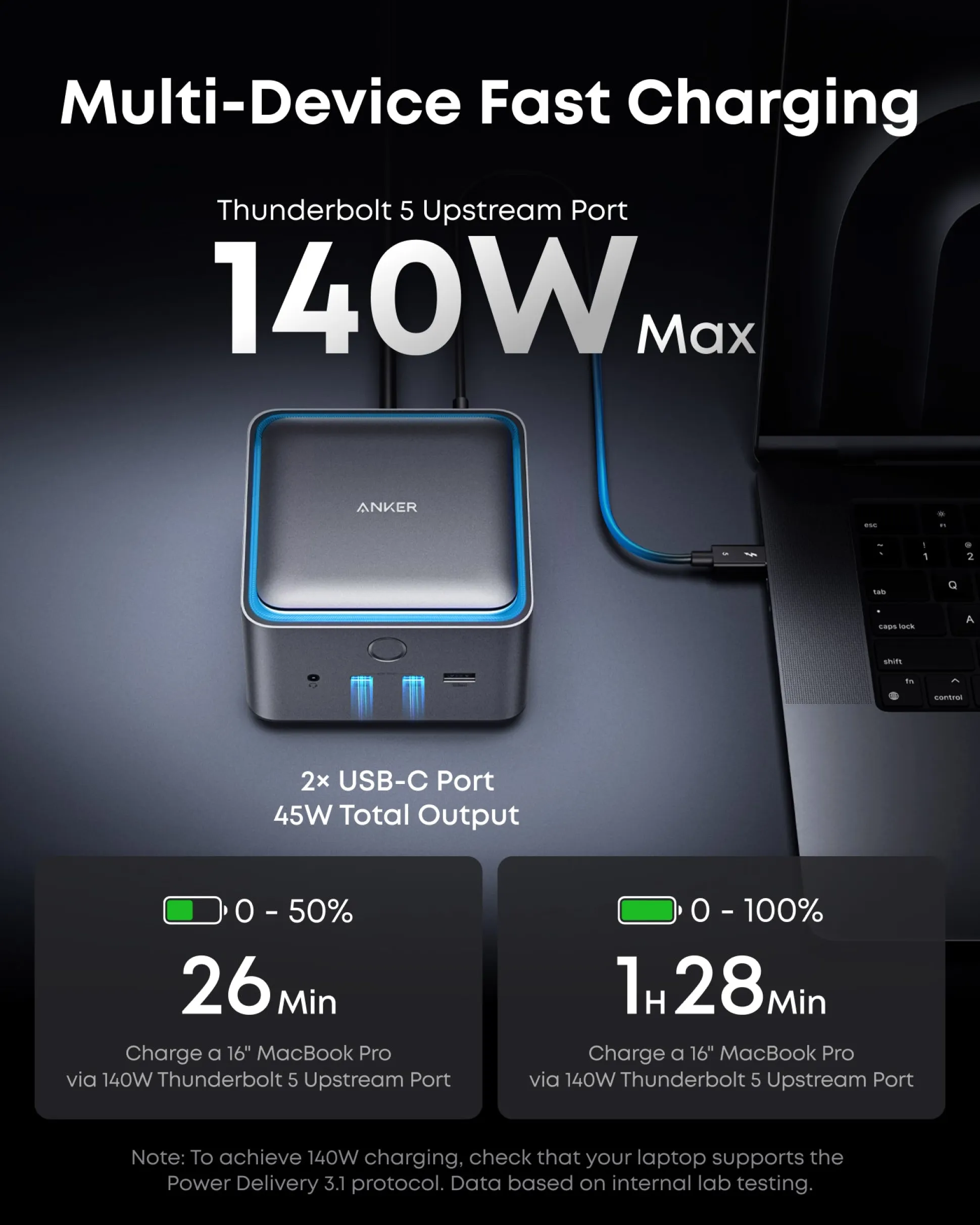
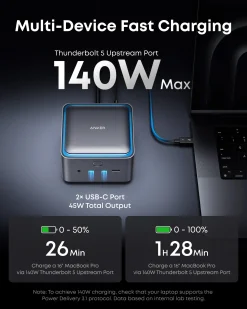
- Fast Charge Multiple Devices: Power your devices efficiently with the powerful 140W max Thunderbolt 5 upstream port, supporting the PD 3.1 protocol for optimal charging. The front-facing dual USB-C ports share a total of 45W.
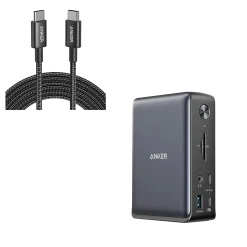
- What You Get: Prime Docking Station (14-in-1, 8K, Thunderbolt 5), 3.3 ft Thunderbolt 5 cable, 6 ft AC power cable, 24-month warranty, safety sheet with QR code for user manual, and our friendly customer service.
Why Choose Prime Thunderbolt 5 Docking Station (14-in-1, 8K)
The Prime is a high-performance Thunderbolt 5 docking stationdesigned for professionals who need seamless connectivity and desktop expansion. With 14 versatile ports—including USB-C, USB-A, HDMI 2.1, and DisplayPort 2.1—it supports stunning 8K visuals and works with both Windows and macOS (15 or later). Built-in power delivery, active cooling, and LED lighting help keep your setup efficient and clutter-free.
As a premium Thunderbolt 5 docking station, it connects multiple high-performance devices and monitors through one compact hub. Whether you’re upgrading your workstation or streamlining your creative workflow, this Thunderbolt 5 docking stationdelivers unmatched speed, stability, and versatility.
Model Number: A83B5
Display Restrictions Notes
System Dependencies Notes
1. The minimum macOS version required to use this Thunderbolt 5 dock is macOS 15 or later.
2. MacBooks with Apple Silicon chips do not support external GPUs through any docking station. This is a system-level limitation that prevents macOS from recognizing or using an external GPU, even if it is physically connected via a dock.
3. If your laptop uses an 11th Gen Intel processor, please ensure that “Thunderbolt Technology Support” is enabled in the BIOS to maintain optimal performance. Also, confirm that the Thunderbolt controller NVM firmware version is 48.1 or higher.
Cable Guidelines
1. Use only the included Thunderbolt 5 cable or certified Thunderbolt 5 cables. Using uncertified or incompatible cables may cause incompatibility issues.
Specifications
Be the first to review “Prime TB5 Docking Station (14-in-1, 8K, Thunderbolt 5 )”
Related products

Best Sellers


Best Sellers


Best Sellers
Best Sellers
Best Sellers

Best Sellers
Best Sellers
Best Sellers


Best Sellers
Hubs & Docks
Reviews
There are no reviews yet.